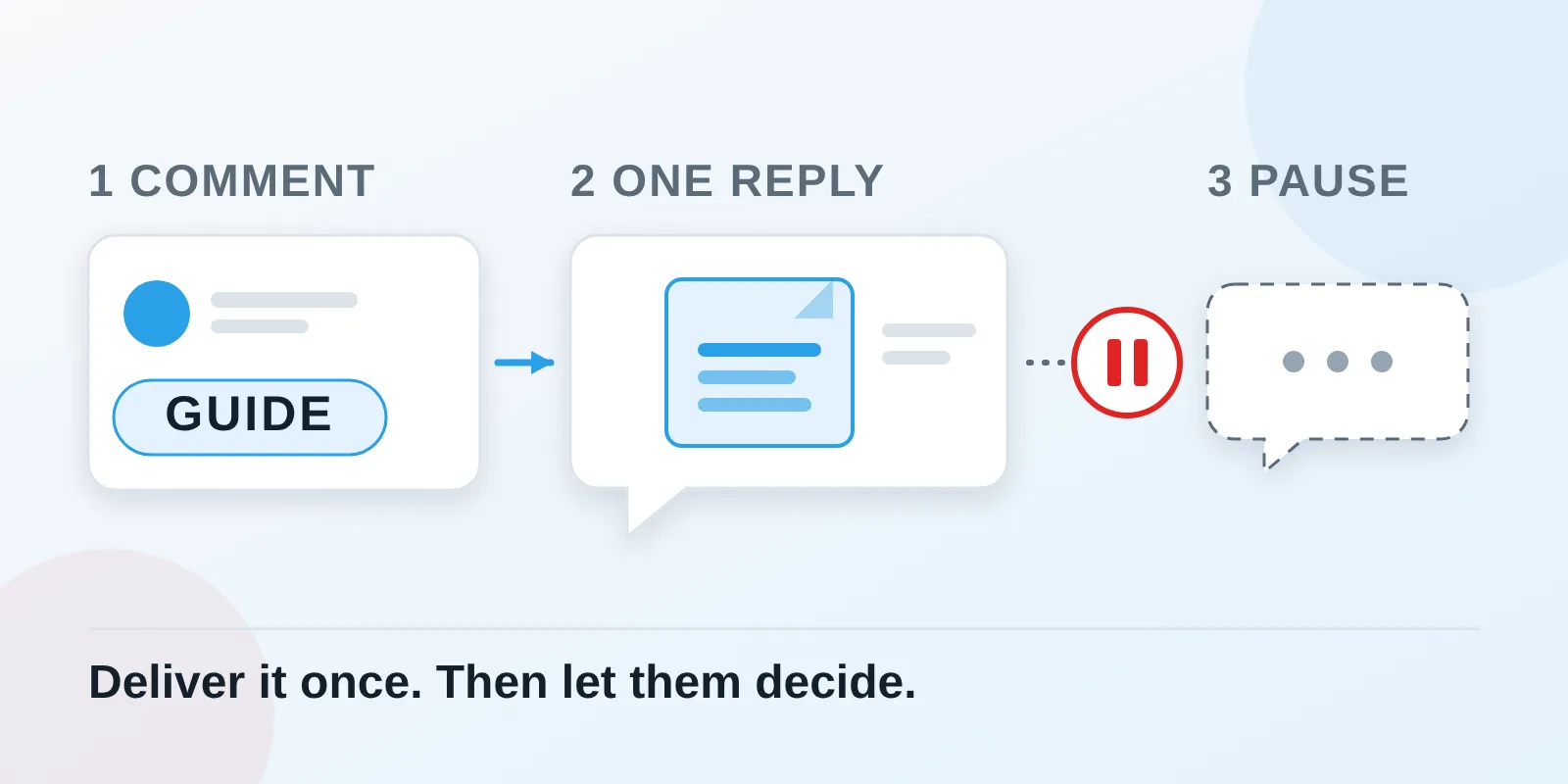
To automate Instagram comment-to-DM, connect a professional account to a tool that sends private replies to comments, pick one post and keyword, and write a useful first message. Meta allows one reply per comment, and more messages only if the person responds. Start with no-code tools; use n8n for custom routing.
- A comment is an opening for one private reply, not a subscription to repeated promotions.
- Start with one useful resource and one clearly advertised keyword.
- Check Meta's own Comment to message template and the tool you already use before adding a subscription.
- n8n adds flexibility, along with the job of maintaining the connection and the Meta app.
Checked 4 November 2026 against Meta's developer documentation, Meta Business Help and each tool's own help pages. Where Meta is silent, such as the price of its own automation, this guide says so. Tool prices are list prices, not an India checkout quote.
What does comment-to-DM actually do?
Imagine a coaching institute publishes: “Comment GUIDE and we'll DM our course comparison checklist.” A reader comments GUIDE. An automation sends the checklist privately. This is an illustrative example, not a client result.
A DM is a direct message. A private reply is the first message sent in response to the public comment. A public “Check your inbox” reply is a different action; configure it separately if you want one. [1]
The useful part is delivering what the person requested. A good first message makes sense even if the conversation ends there.
Comment-to-DM is one entry point. Incoming DMs are another: Meta says a conversation begins when a person messages the business. [2]
What are the messaging limits?
Build around three separate events: the comment, your private reply, and the person's response.
Meta's private-reply documentation sets four limits. Only one message can be sent to the commenter. It must be sent within 7 days of the comment. For Instagram Live, it can only be sent during the broadcast. Follow-up messages are allowed only if the person responds, and must go within 24 hours of the response. [3] Meta lists posts, reels, stories, Live and ad posts as places a comment can come from. [3]
Meta's messaging guide adds that a business can message someone only after that person has messaged first. For most actions the standard window lasts 24 hours. A person's first message after a Click-to-Direct ad can open it for up to 7 days, and replies from a real human agent can use a separate 7-day window. [2] Chatfuel, HighLevel and Manychat document the same pattern. [4][5][6]
Meta also says automated chats must tell people they are talking to an automated service where the law requires it, and names California and German users as ones to watch. Even where it is not required, Meta recommends telling people. [2] Putting “This is an automated reply” in the first message covers it.
What account and access do you need?
Use an Instagram professional account: Business or Creator. Chatfuel's connection guide covers this conversion and authorization. [7]
Whether you need a Facebook Page depends on the connection route. Meta documents three routes, each with its own login type, token and host. One uses a Facebook Page access token, another an Instagram user access token. [3] Meta's own Postman collection says the Facebook Login route requires a linked Page, and HighLevel's setup also requires that link. [8][5] Do not treat this as a universal rule for every integration.
Use the provider's official Meta or Instagram authorization flow. Never give your password to an automation script or to someone setting up the tool. Also name the person who will handle replies automation cannot answer.
Can Instagram's own tools do this?
Possibly, and it is worth checking first. Meta Business Help describes Inbox automations in Meta Business Suite for Facebook Pages, Instagram business accounts and WhatsApp Business accounts. Its template list includes Comment to message: a message reply to comments on your posts that contain specific keywords or phrases. [9]
To find it, open Inbox in Meta Business Suite on desktop, click Automations, then Create automation. Meta says keyword automations are desktop-only and that availability depends on which channels you have connected. [9][10]
Meta's pages leave some things open. They do not say which channels support this template, so confirm Instagram is selectable in your account. They state no price. They also describe the trigger differently: “keywords or phrases” on the setup page, “hashtags” on the overview. Some messaging features are unavailable in Europe and Japan. [9][10] If the option does not appear, use a documented third-party route.
Which tool should you choose, and what does it cost?
These are published prices checked on 4 November 2026. Annual equivalents require annual payment. Check your account's price, usage allowance and final total before subscribing.
| Option | What you need | Published cost | Main trade-off |
|---|---|---|---|
| Meta Business Suite, Comment to message | Instagram offered for this template on desktop | No price stated by Meta | Channel support and wording differ between Meta's pages [9][10] |
| Manychat | Connected account and comment automation | Free: 25 active contacts. Essential US$17 monthly or US$168/year | Contact allowances and overages [11][12] |
| HighLevel | Connected account inside its CRM | Starter US$97 monthly or US$970/year | A broader platform than this task needs [13] |
| Chatfuel | Connected professional account and a comment rule | Business US$20 monthly; pricing page shows US$216/year | Usage draws on credits [14][15] |
| Custom API with n8n | A maintainer and Meta app access | Cloud Starter €20/month billed annually, 2,500 executions | Hosting, setup and upkeep still matter [16] |
My recommendation: if Business Suite offers the template for Instagram, test it first. If not, try a focused no-code setup: Manychat's comment-link automation, or HighLevel's Instagram Interactive Messenger action if you already use it. [17][1]
Manychat says its newer plans vary by region and account migration. Pro is US$39 monthly or US$29/month billed annually, with 2,500 active contacts before overages. [18][19]
Chatfuel's help and pricing pages label its entry plan slightly differently, and n8n counts workflow executions, not people contacted. Compare checkout totals, not headline prices.
How do you set up a first campaign?
This sequence is my recommended approach, cross-checked against Manychat, HighLevel and Chatfuel documentation. Menu labels differ by tool. [17][1][20]
- Choose one promise. Prepare the resource before advertising it. Open the link on a phone and check it needs no unexpected login.
- Write the invitation. For example: “Comment GUIDE and we'll send the course checklist by DM.” Select that post and keyword; avoid an all-comments trigger for the first test.
- Connect the account. Confirm the selected profile is the intended sender, and keep ownership of the account and subscription with the business.
- Configure the private reply. Choose the action meant to reply to a comment by DM. In HighLevel, the comment reply mode and the ordinary DM mode are distinct. In Manychat's quick automation, an opening message is optional. [1][17]
- Write a useful first message. For example: “Here's the course checklist you requested: [your link]. This is an automated reply. If you'd like help comparing courses, reply HELP. Reply STOP if you don't want further automated replies.” Promise STOP handling only after you have set it up and tested it.
- Separate delivery from follow-up. If you want a conversation, give a clear response option and leave the no-response path without another automated DM. If you collect an email, say why, and ask separately before adding anyone to later marketing.
- Test before inviting everyone. Use a separate consenting test account. Check a matching keyword, an unrelated comment, no response, a response and STOP. Look in the Requests folder as well as the Inbox.
- Activate and watch the first conversations. A workflow starting is not the same as a message being delivered.
What mistakes cause failures or restriction risk?
The most important mistake is treating the first private reply as permission for an unattended sales sequence. Manychat warns that messaging-window violations can lead to warnings and account restrictions. [6]
Other problems need diagnosis, not a more aggressive retry:
- The message is hard to find. Meta says private replies to non-followers go to the Request folder. Check there before assuming a failed send. [3]
- The wrong action is selected. A normal DM action and a comment-triggered private reply have different conditions. [1]
- The test is misleading. Manychat documents first-comment behaviour on a post or reel, so repeating a keyword from the same test account may not trigger another run. [21]
- The connection dropped. Chatfuel documents reconnecting the Instagram integration as a troubleshooting step. [7]
- The rule is too broad. Review catch-all rules as well as the campaign you just created. [20]
My operating rule is to pause a failing campaign, read the error and fix the cause. Do not try to get around a closed window by switching tools. I did not find a published “safe DMs per day” number, so none belongs in your plan.
When is n8n worth using?
n8n is a workflow builder that connects systems. An API is a software interface and a webhook is an event notification sent to your workflow. n8n's Facebook Trigger documents an Instagram object that includes comment events, its Webhook node can receive events, and its HTTP Request node can send authenticated requests. [22][23][24] These are building blocks, not an approved Instagram app.
Meta documents what a custom integration needs. A webhook event for each comment carries the comment ID, and the app sends the private reply with a POST to the account's messages endpoint, using the comment ID as the recipient. [3] The permissions depend on the login route:
| Login route | Token and host | Permissions Meta lists |
|---|---|---|
| Unified Login (Facebook Login for Business) | Business Integration System User token, graph.facebook.com | instagram_basic, instagram_manage_comments, plus instagram_manage_messages to send private replies |
| Instagram Login | Instagram user access token, graph.instagram.com (n8n's Facebook Graph API node lists only Facebook hosts, so use HTTP Request) [25] | instagram_business_basic, instagram_business_manage_comments; the messaging guide adds instagram_business_manage_messages |
| Facebook Login | Facebook Page access token, graph.facebook.com | instagram_basic, instagram_manage_comments, pages_read_engagement |
All three subscribe to the comments and live_comments webhook fields. [3] Meta's table lists the messaging permission differently per route, so read it for the route you pick. Access level matters too: Standard Access is for accounts you own or manage, and Advanced Access is needed to serve accounts you do not own. [2] n8n's credentials guide adds that App Review is required for users without a role on the app. [26] n8n is not an exemption from review.
A developer could structure the flow like this:
- Receive and validate the comment event.
- Match the intended post and keyword.
- Check a stored comment ID to prevent duplicate processing.
- Check the 7-day limit and any opt-out before sending the one private reply.
- Record the result and route errors to a human.
- Continue only after the person replies, then update the customer record or assign the enquiry.
That sequence is a proposed design. I have not tested it against an Instagram account, so treat it as a starting point for a developer.
Use n8n when an enquiry must reach a particular counsellor, CRM or report. For a single keyword delivering a single link, start with no-code or Meta's template. If you are choosing someone to build it, the questions in my guide to choosing an AI automation agency apply here too.
What about Facebook comment-to-Messenger?
HighLevel documents a parallel Facebook comments trigger and Facebook Interactive Messenger action. Treat it as a separate channel setup. Do not assume an Instagram configuration also covers a Facebook Page. [5]
What else should you know before starting?
Do people have to follow the account?
No. Meta says a private reply goes to the person's Inbox if they follow the account and to the Request folder if they do not. (Meta, private replies)
Can the first DM contain the link directly?
Yes. Manychat documents sending the resource without its optional opening message. (Manychat, auto-DM links from comments)
Does clicking a website link allow more DMs?
No. Manychat says an Open website button does not open the messaging window, so a tracked click is not permission for another automated message. (Manychat, messaging windows)
Can I send a reminder if they ignore the DM?
No. Meta allows one message to the commenter. Follow-ups are allowed only if the person responds, and within 24 hours of that response. (Meta, private replies)
Do I need AI to write these replies?
No. For one keyword and one resource, fixed copy is easier to check and test.
Will n8n remove Meta's restrictions?
No. Your Meta app still needs the right access, and the same one-reply and messaging-window rules apply. (Meta, private replies)
Can I start free?
Possibly. Manychat's published Free plan covers 25 active contacts and up to four live triggers, and Meta's own Comment to message template states no price. Check the plan and limits shown for your account. (Manychat pricing, Meta Business Help)
What should you do today?
Pick one useful resource and one post. Write the invitation and the first reply, then test delivery and the no-response path. Make that small interaction work before adding lead scoring or a bigger follow-up system.
I set up automations like this for businesses. If you would rather have one built and tested, that is what Taipreneur does.
- HighLevel, Workflow action: Instagram Interactive Messenger
- Meta, Send Messages with Instagram Login (Instagram Platform docs, updated 28 Sep 2026)
- Meta, Send a Private Reply to a Commenter (Instagram Platform docs, updated 30 Jun 2026)
- Chatfuel, Messaging rules for Instagram
- HighLevel, Facebook and Instagram comment automation
- Manychat, Understanding messaging windows
- Chatfuel, Connect your Instagram account
- Meta Instagram API collection on Postman
- Meta Business Help Center, Set up Inbox automations in Meta Business Suite on desktop
- Meta Business Help Center, About Inbox automations in Meta Business Suite
- Manychat pricing
- Manychat, Essential plan
- HighLevel pricing
- Chatfuel, Plans and pricing (docs)
- Chatfuel pricing page
- n8n pricing
- Manychat, Quick automation: auto-DM links from comments
- Manychat, How to choose the right subscription
- Manychat, Pro plan
- Chatfuel, Instagram comment auto-reply
- Manychat, Instagram post and reel comments trigger
- n8n docs, Facebook Trigger node: Instagram object
- n8n docs, Webhook node
- n8n docs, HTTP Request node
- n8n docs, Facebook Graph API node
- n8n docs, Facebook App credentials